GUIDE
Promoting your beats on TikTok and YouTube Shorts
A type beat catalog is rarely short of beats: it is short of people hearing them. Short-form is still the one place where a channel with no audience gets shown to strangers, with no ad budget and without waiting six months. It only works if you post something other than a YouTube video squeezed into vertical.
CONTENTS
THE ESSENTIALS
- A short does not sell, it gets you found: the sale happens two clicks later, and that is normal.
- Cut on the drop, never on the intro. The first three seconds decide everything else.
- Never repost a file downloaded from TikTok: YouTube states plainly that it does not promote videos carrying another platform’s watermark.
- A TikTok caption cannot hold a clickable link. The only link that works is the one on your profile — on Shorts, the description takes one.
- A short that flops does not hurt your long-form channel: the two are recommended by separate systems.
01What short-form actually gives a catalog
On long-form YouTube, a video is shown first to people who already know you: subscribers, then search. It is an excellent channel for converting and a poor one for being discovered when nobody is looking for you. Short-form works the other way round: distribution starts from a feed where subscribing barely counts, and where a video posted by an account with thirty followers can be served to thousands of strangers. For a producer starting out, it is the only free discovery surface still genuinely open.
The second benefit is marginal cost. The hard work — finding the visual, placing the text, writing the metadata — was already done for the long-form video. A short is a derivative of it, not an extra production. That ratio is what makes short-form worth it even when it does not convert directly: thirty seconds cut from a video you already rendered costs almost nothing, and one release in ten landing is enough to pay for the other nine.
02And what it will not do
A short does not sell a beat. Attention is short, buying means leaving the app, and the person watching is almost never looking for an instrumental at that exact moment. Expecting direct sales from a thirty-second video is the surest way to quit after three weeks concluding that "it does not work".
What a short produces is a name that keeps coming back. Someone runs into your handle three times in two weeks, eventually types your name into a search bar, and that is where — on the long-form video, on your store — the sale happens. So judge a short on what it triggers downstream (profile visits, follows, searches for your name), not on its view count.
03The settings that are not up for debate
| Setting | Value | Why |
|---|---|---|
| Frame | 1080 × 1920 (9:16) | The native format of both feeds. Anything arriving in another ratio gets bars added, and a black bar alone is enough to make a video read as a repost. |
| Container and codecs | MP4, H.264 video, AAC audio | The pair accepted everywhere without conversion. An exotic export sometimes goes through, but it is the first suspect when an upload fails with no clear message. |
| Length | Short, and never padded | Shorts accept up to three minutes — that ceiling has already moved once, so check it before making it a rule. It does not mean you should fill it: what counts is the percentage watched, and it drops as length grows. |
| Watermark | None, ever | YouTube says it does not surface reused videos carrying another platform’s logo. Always export from your editor, never from TikTok’s download button. |
| Text zones | Away from the bottom and right edges | The interface lays its buttons and caption over your image. A title placed at the bottom is unreadable on both platforms, and you will not see it in your editor. |
On that last point, the simple rule is to keep the middle third of the frame for anything that has to be read: the reference artist’s name, the beat title, your handle. The button column on the right and the caption strip at the bottom belong to the platform, not to you. Composing around those two zones from the start saves you shifting everything after the first upload.
04Choosing the thirty seconds
This is the only decision that really matters, and it is also the one made fastest and worst. The reflex is to start at the top of the beat, because that is the top of the file. It is exactly what you should not do: an intro is written to set a mood for someone who has already decided to listen. In a vertical feed, nobody has decided anything.
The first three seconds
The sorting happens in the first three seconds, and it happens with a thumb. Your short must therefore open on the most recognisable moment of the beat: main melody already in, drums already in. If your beat takes twenty seconds to get interesting, that is not a problem with the beat — it means the place to cut is twenty seconds further along.
The same reasoning applies to on-screen text. The reference artist’s name has to be readable immediately, not fade in after two seconds: it answers the question the viewer is asking — "who does this sound like?" — before they have even phrased it.
Cut where the loop closes
A short video is often replayed automatically, and the percentage watched climbs on its own when the end joins cleanly back to the start. So cut on a musical boundary — the end of a bar, the top of a loop — not at a round number of seconds. A cut that lands mid-bar is audible instantly and kills the replay.
In practice that means cutting in bars rather than in seconds: at 140 BPM, eight bars run about fourteen seconds and sixteen bars a little under thirty. Start from the bar count and let the duration follow. If you do not know the file’s tempo, our BPM and key finder gives it in a few seconds.
05The text around the video
The caption
A short’s caption is not a YouTube description: it is skimmed, often truncated after one line, and it serves one purpose — say what this is and what to do next. "[FREE] Travis Scott Type Beat — “Nightfall” · link in bio" does the job. A paragraph about your journey does not.
Keep the same template as your YouTube titles: reference artist name, "type beat", beat title. Consistency across platforms is not a nicety — it is what makes someone who ran into you on TikTok recognise you on YouTube. If you do not have a template yet, the one in the dedicated titles and descriptions guide transposes as is.
Hashtags
Three to five, specific, and always the same for a given reference artist. Generic tags like #music or #fyp put your video up against the entire world and teach the platform nothing. The reference artist’s name, the words "type beat", the genre: that is enough. On Shorts, add the format hashtag in the title or description if you want to remove any ambiguity about the format.
06The buy link: where it actually lives
This is where most producers lose their traffic, and it is a platform constraint rather than a mistake in method. A TikTok caption does not render clickable links: a URL typed in there is dead text nobody will retype. The profile link field depends on your account type — check yours before building anything on it. On Shorts, the description does take clickable links, which makes the path one step shorter.
The consequence is simple: your profile is the most important page of your short-form presence, and exactly one link belongs on it. A page offering six destinations does not convert better than one offering a single destination, it converts worse. Send people where they buy — your BeatStars store or your own site — and nowhere else.
A second, less obvious consequence: your handle must be identical everywhere and easy to type. A large share of your traffic will click no link at all; those people will type your name into a search bar later, from memory. A different handle on every platform makes that trip impossible.
07Posting the same short to both platforms
Yes, and it is the only way the cutting work pays for itself. But there is a way that works and a way that cancels the benefit.
- 1Export once, from your editorA single 1080 × 1920 master, no watermark, no platform-specific furniture. That file is the one that goes everywhere.
- 2Upload it separately to each platformNever through a cross-posting share button, never from a file downloaded out of the other app. That is what introduces the watermark and makes your video read as a repost.
- 3Rewrite the caption each timeSame template, adapted: the TikTok caption points to your profile, the Shorts description can carry the link directly. Pasting one into the other always leaves an inaccurate line.
- 4Stagger the postsNothing requires both to go out within the same hour. A day or two apart gives you two discovery windows instead of one, for the same work.
08The sound, and who gets to reuse it
This is the mechanism producers exploit worst. When you post a video whose audio you supplied, TikTok turns it into an original sound credited to your account: anyone can then use it in their own video, and your name travels with it. A sound picked up a hundred times sends you a hundred paths back to your profile, which none of your own videos will ever do.
YouTube offers the equivalent for Shorts, provided reuse of your audio is allowed in your channel settings. It is a box to check once: if it is closed, you are giving up the only distribution you do not have to produce yourself.
There is a trade-off to accept: a reusable sound is a sound you no longer control. It will end up on videos that have nothing to do with your world. For a free beat, that is pure upside. For an exclusive you have sold, the question is worth asking beforehand, not afterwards.
09How often, and for how long
Short-form rewards volume far more than long-form does, for a mechanical reason: each video is a roughly independent draw, and the number of draws counts. A short that does not land leaves no trace, whereas a long-form video that fails stays in the catalog. That is what allows a cadence long-form would not survive.
YouTube repeats that Shorts and long-form are recommended by separate systems: posting a lot of shorts does not drag your long-form videos down. The opposite fear is the most common reason producers never start, and it is unfounded.
In practice one long-form release easily yields two or three shorts — the drop, another section, a shot of the production screen. The rule here is the same as for the rest of the catalog: pick the pace you can hold in your worst month, not your best one. A cadence held for six months beats a burst of twenty videos followed by silence.
10What it costs by hand, and what automates
By hand, a short costs ten to twenty minutes: reopen the project, recompose the vertical frame, move the text out of the interface zones, re-export, then fill in two upload forms. Multiply by two shorts and two platforms on a weekly release, and you reach several hours a month of work that is not creative in any way.
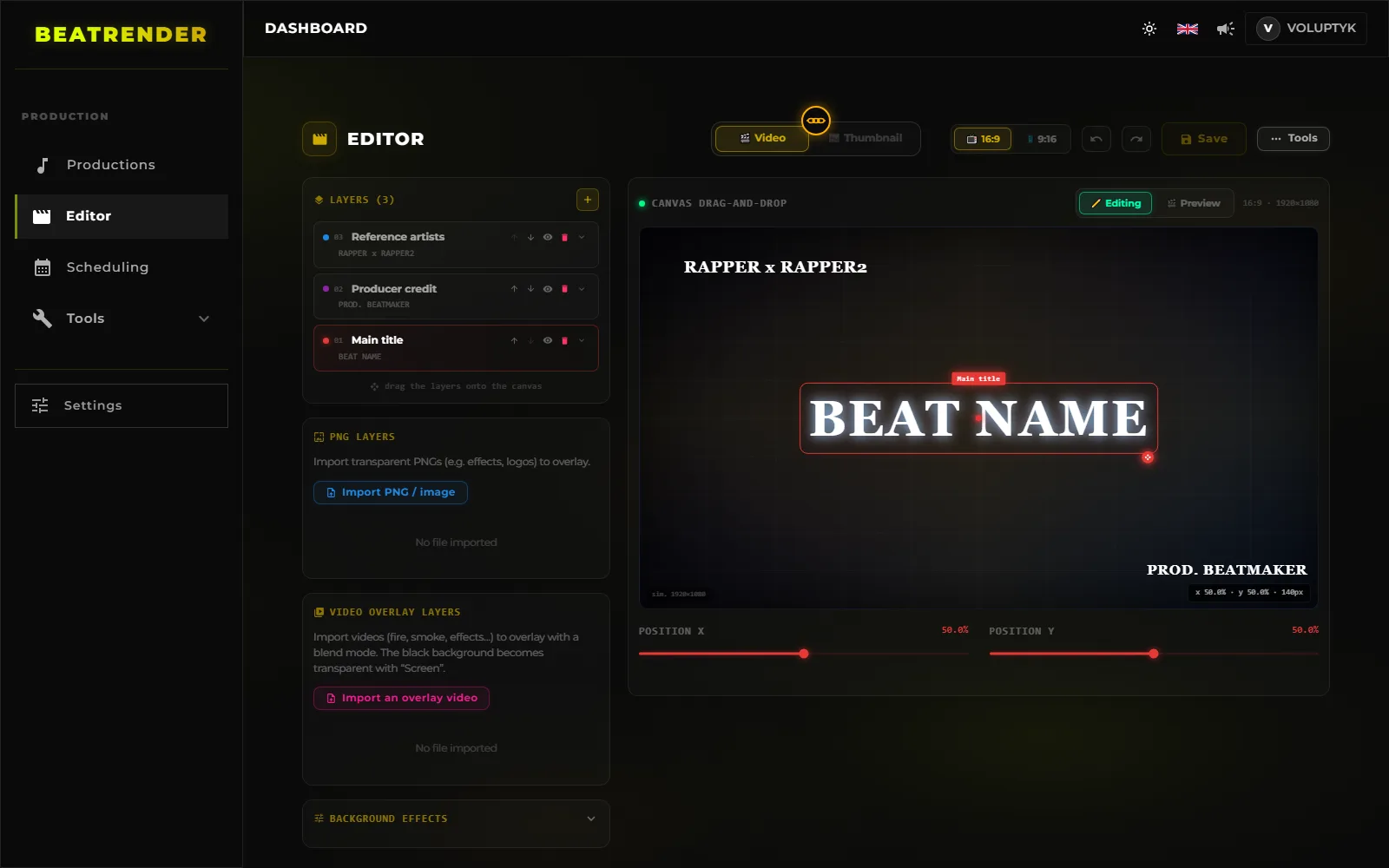
That is the part BeatRender takes over: the 9:16 is rendered alongside the 16:9 from the same project, then published to TikTok and Shorts with the metadata already filled in. None of which obliges you to use a tool — a vertical template project saved in your editor and one grouped cutting session a month produce the same effect on consistency, which remains the only variable that counts.
11The mistakes that come up most often
- Reposting a file downloaded from TikTok, watermark included: the most common case and the most expensive, since YouTube states it does not push those videos.
- Starting the short at the top of the beat. The intro is the one section written for someone already listening.
- Typing your store URL into a TikTok caption. The text does not become clickable, and nobody retypes it.
- Placing the title at the bottom of the frame, exactly where the platform draws its own caption over it.
- Cropping the 16:9 instead of recomposing in vertical: the subject ends up cut off, or tiny between two bars.
- Using a different handle on each platform, which breaks the one route most of your traffic takes — searching for you from memory.
- Judging a short on views rather than on the profile visits it triggers, and abandoning a format that was working.
12The checklist before you upload
- The file is 1080 × 1920, MP4 H.264/AAC, with no watermark of any kind.
- The video opens on the drop, not the intro.
- The cut lands on a bar boundary and the loop closes cleanly.
- The reference artist’s name is readable within the first second.
- No useful text in the bottom strip or under the right-hand button column.
- The caption follows the same template as your YouTube titles.
- Three to five specific hashtags, the same ones you use for other beats by that artist.
- The profile link points to one place only: where people buy.
- Audio reuse is enabled if the beat is free.
READ NEXT
- 10 MIN READHow to make a type beat videoFormats, resolution, looping, loudness, thumbnails and tags: the complete guide to turning a type beat into a YouTube video, then cutting it for 9:16.
- 10 MIN READHow to publish beats to BeatStars automaticallyPrepare your files, fill in the metadata that sells, handle licences and cover art, publish in batches and sync with YouTube and TikTok.
- 12 MIN READWhere to sell your beats: BeatStars, Airbit, TrakTrain or your own storeCommissions, payouts, licences and lock-in: what actually separates BeatStars, Airbit, TrakTrain and your own store — plus the maths that settles it.
- 10 MIN READHow to upload beats to YouTube in bulkPrepare a batch, upload several beats at once, schedule releases to the hour and keep metadata consistent across an entire catalog.
- 11 MIN READHow to upload beats: what to settle before you clickAudio format, loudness, cover art, metadata, rights and samples: everything to settle before you upload a beat, on any platform.
- 9 MIN READTitle, description and tag templatesOne title template, one description block and a reusable tag list for every release — plus the method that stops you rewriting them on every upload.
- 17 MIN READBuilding a type beat YouTube channelLane, channel identity, playlists, thumbnails, Shorts, revenue and analytics: how to build a type beat YouTube channel that still runs a year from now.
- 15 MIN READBeat licensing and pricing: what you actually sellMP3, WAV, trackout, unlimited, exclusive: what each tier really allows, how to set your prices, and what the contract has to say in plain words.
- 14 MIN READSplitting a beat between producersWho owns what when a beat is co-produced: usual splits, BeatStars payouts, YouTube revenue, samples, and the written agreement that prevents a dispute.
- 16 MIN READHow often should you upload type beatsHow often to release, how to build a buffer of finished beats, where to place your slots, and how to restart a channel after a gap without wrecking it.
- 12 MIN READHow to promote your BeatStars beats on YouTubeWhere the buy link goes, what belongs in the two visible lines of a description, what the pinned comment is for, and how to find out which video actually sold.
- 14 MIN READConnecting your accounts to an upload toolPassword, OAuth or browser extension: what an upload tool really gets on your accounts, what it cannot do, and how to take the access back.
- 18 MIN READHow to make a type beat thumbnail that gets clicksDesign for the phone tile, three elements and never four, what the artist photo costs, and the one number that tells you whether a thumbnail works.
- 15 MIN READHow to audit a type beat channel when the views are not comingYour type beats get no views? The eight checks to run in YouTube Studio, in order, to find the link that breaks — and what to fix first.
- 15 MIN READProducer name and branding: how a beatmaker gets found by name, on every platformA producer name that can be dictated and typed, the producer tag, the “prod.” credit, one identity on YouTube, BeatStars and TikTok — and what a rename costs.
- 11 MIN READAutomating type beat uploads: one beat in, published everywhereThe eight stages of a release, what is decided once, where a publishing pipeline gets it wrong, and the five-move check to run before you trust it.
- 12 MIN READAI tools in type beat production: what they do, what they miss, what they will never decideWhat AI measures better than you, what it only drafts, what it will never decide — and what its involvement changes about what you can sell.
- 12 MIN READReuploading a type beat: when to re-release it, when to retouch it, when to leave it aloneA beat that went nowhere: leave it, retouch it, retitle it or re-release it. What each move keeps, what it erases, and when reuploading is off the table.
- 12 MIN READChoosing the reference artist for a type beat: the sound, the demand and the roomHow to choose the reference artist for a type beat: does it sound like them, is anyone searching, is there room left. A method that needs no paid tool.
- 10 MIN READRecreating the look of a type beat video that works, without copying the channelStart from the visual of a type beat video that sells: pick the reference, break the look down, keep the layout without the brand, make it your template.