GUIDE
How to publish beats to BeatStars automatically
Putting one beat on BeatStars takes a few minutes. Putting fifteen up a month, with consistent metadata, synced with YouTube and TikTok, quickly becomes the most tedious job of the month. Here is how to structure it, then automate it.
CONTENTS
THE ESSENTIALS
- The upload is never what costs you: it is the retyping around it, identical on every track and every platform.
- Two audio files, always: a sold master with no tag, a public preview tagged throughout the track.
- BPM, key, artist tags, genre: these are filters. An empty field does not make you neutral, it removes you from the results.
- Licence tiers get decided once and applied everywhere — a catalog without templates is impossible to correct.
01What actually takes the time
It is not the upload. It is everything around it: renaming files, digging up the BPM and key, rewriting a description you already wrote for YouTube, re-picking the same tags, re-uploading the same cover, re-checking licences. Each step is short, but they repeat identically on every track and every platform.
Uploading to BeatStars goes through the web interface. In practice, automating it therefore means driving that flow rather than calling a service — which is why the tools on the market use a browser extension rather than a server-side integration.
02What gets decided in the DAW, before any upload
Half the problems in a release are settled — or created — at export time, which is to say at the moment you are paying least attention because you think you have finished. Get into the habit of exporting the whole release in one pass rather than coming back to it: the master, the tagged preview, and the stems if you sell them.
Two files, not one
The file you sell carries no voice tag; the public preview does, spread through the track rather than sitting on the intro — a tag only at the top is worked around in ten seconds. Name them differently at export time: accidentally delivering the tagged version to a buyer is the most ordinary and most embarrassing incident in the trade.
Stems, if you sell them
Export them while the session is still open and you still know what each track contains. Coming back three months later, to a project whose plugins have changed version, costs an evening per title. Group them by family (drums, 808, melodies, FX) rather than track by track: a buyer who receives forty files does not use them.
03Prepare your files once, properly
- An untagged WAV at sale quality (24-bit preferably) — this is the file the buyer receives.
- A tagged MP3 for the public preview, with your voice tag spread through the track, not just on the intro.
- Stems if you sell premium or exclusive licences: they are often what justifies the price gap.
- A square cover, the same one as your YouTube video so buyers make the connection. Export it well above the accepted minimum: scaling down is free, scaling up never is.
Adopt a stable naming convention and stick to it: 'reference-artist - title (BPM)'. It looks trivial, but it is what makes any later automation possible — a tool cannot infer the structure of a filename that changes every time.
04The metadata that actually sells
On a marketplace, internal search drives at least as much traffic as outside links. A badly filled-in beat is not ranked poorly: it is absent from the results. Three fields decide, and all three get rushed.
| Field | What it actually does | What an empty field costs |
|---|---|---|
| BPM and key | Filters, set before the first listen by a rapper who has already written to a tempo. | You vanish from the results of everyone who filters — and a wrong value is worse than none. |
| Artist tags | What people actually search: nobody looks for "dark instrumental", everybody looks for a name. | No query reaches you. Twenty vague names are worth less than three accurate ones. |
| Genre and mood | Your way into themed lists and the platform’s internal playlists. | Choosing nothing does not leave you uncategorised, it leaves you out of the lists. |
BPM and key
These are filters, not labels. Many buyers set them before listening to anything at all, because they are looking for a tempo they have already written to. An empty field does not make you neutral: it removes you from the results of everyone who filters.
Reference artist tags
This is what people actually search: nobody looks for "dark instrumental", everybody looks for a name. Three to five genuinely close names beat twenty vague ones, and not for a moral reason: an off-topic tag exposes you to an audience that will not buy, and that lack of engagement is then charged back to you in placement.
Genre and mood
These are what get you into themed lists and the platform’s internal playlists — the least visible and most regular traffic source on a marketplace. Fill them in even when the choice feels reductive: choosing nothing does not leave you uncategorised, it leaves you out of the lists.
05Licences and pricing: decide once, apply everywhere
The classic trap is rebuilding your pricing on every upload, which produces an inconsistent catalog where two comparable beats share neither price nor rights. Define your tiers once — MP3, WAV, stems, exclusive — save them as a template, and only reopen them deliberately.
What actually separates your tiers
A tier is not justified by its price but by what it allows: the format delivered, the number of copies or streams covered, whether stems are included, exclusivity. If two tiers differ only in price, the buyer takes the cheaper one — and they are right to. Write the difference in one line that needs no lawyer, or it does not exist.
Exclusivity, and what it takes with it
Selling an exclusive is not selling the same thing for more: it is committing to pull the beat from sale and never offer it to anyone else. Decide in advance what happens to licences already sold — do they stay valid? — and write it down. This is the single biggest source of disputes, and it costs nothing to settle while nobody has bought yet.
Also check that the terms announced in your YouTube descriptions match the licence contract exactly. A gap between the two is a recurring source of disputes, and it surfaces at the worst possible moment: when someone wants to buy.
06The store page: what the buyer actually sees
Buyers rarely arrive through your profile: they land on a track page, from an internal search or from a link in a video description. That page has to answer three questions on its own — what does it sound like, what does it cost, what am I allowed to do with it — without them navigating anywhere else.
Hence two reflexes that pay: the same cover as the video, so the visual connection happens in half a second, and a description that states the rights in plain words rather than pointing at a contract. A buyer who has to open a PDF to find out whether they can release the track does not open it.
Free downloads: promotion or leak?
Offering a tagged MP3 as a free download in exchange for a follow circulates the beat and builds you an audience. Offering it untagged, or as a WAV, is selling at zero. The line is easy to hold: what is free is always tagged, what is paid never is, and no exception is justified by "it is for a friend".
07Publish in batches instead of one by one
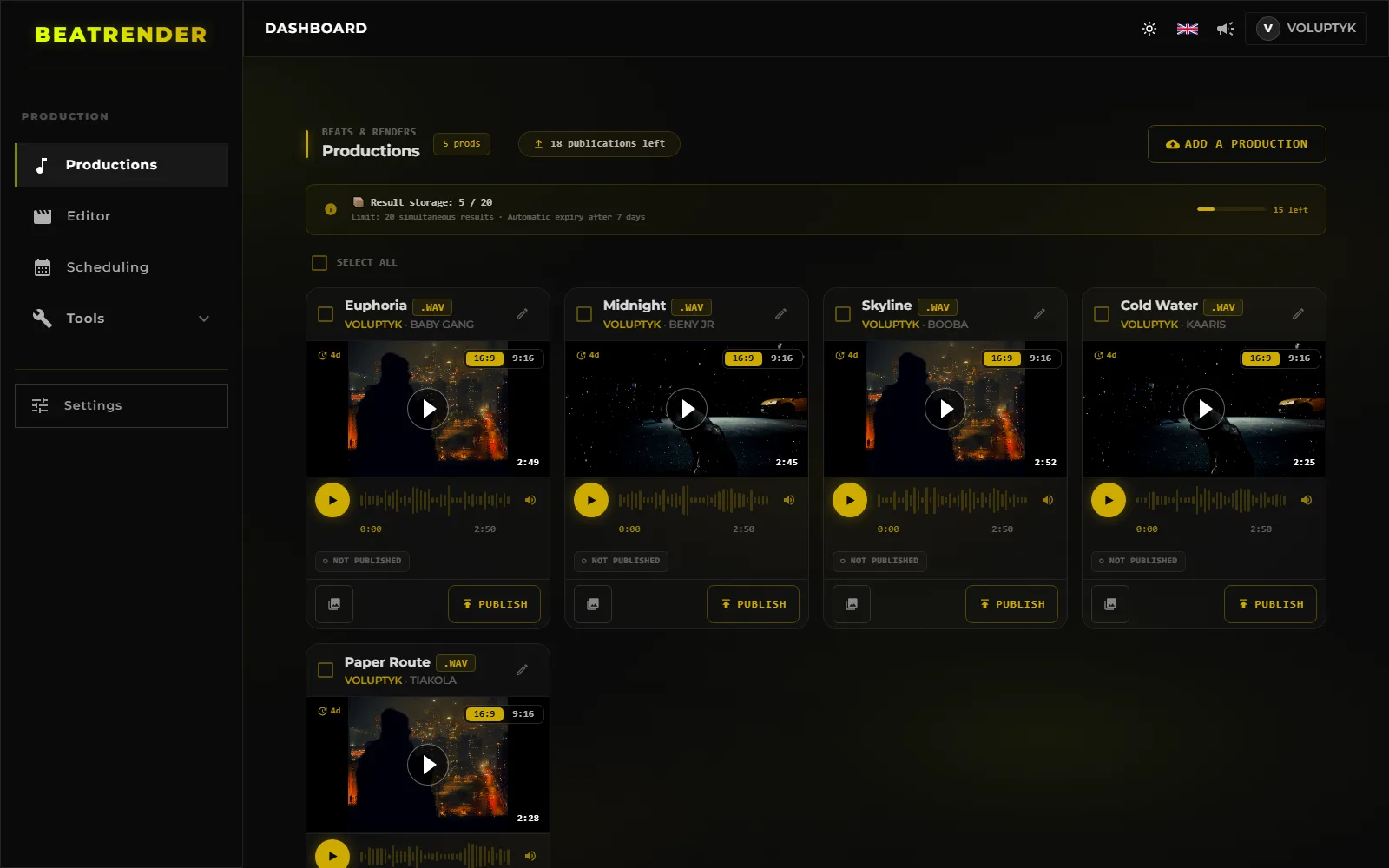
The real shift is not saving two minutes on an upload, it is changing your unit of work: from the track to the batch. You prepare ten beats, fill the information once in a table, and publishing runs without you afterwards.
- 1Group the monthOne preparation session for every release of the month, rather than one round trip per track.
- 2Fill in one passTitle, BPM, key, tags and licence for each one, back to back: this is where catalog consistency is won.
- 3Generate from one templateCover and visuals from a shared template — that is what makes a catalog recognisable from a single thumbnail.
- 4Spread the datesSchedule releases instead of dropping everything on one day: five tracks published in the same minute compete with each other.
- 5Let it runPublishing happens without you, and your time goes back to production — which was the point.
08Syncing BeatStars, YouTube and TikTok
A released beat has to exist in all three places, and above all point from one to the other: the YouTube video links to the BeatStars page, the vertical video sends people to YouTube, and the BeatStars page shows the same cover as the video. That triangle is what turns a listen into a sale.
Here too, the cost is not in publishing but in retyping: the same title, description and tags, entered three times across three interfaces, with three chances to get it wrong. That is exactly the kind of work to take out of your hands.
The template that travels across platforms
Write a title template and a description template once, then fill them in rather than starting over. The description template holds the blocks that never change — licence terms in one line, purchase link, contact, credits — and leaves gaps for what does: the beat name, the BPM, the key, the reference artist.
The point is not the typing time saved, it is elsewhere: the day your pricing changes, you edit one template instead of going back through fifty pages. A catalog without templates is not merely slower to produce, it is impossible to correct.
09Reading what happens after you publish
Publishing without looking at what follows is producing blind. Two numbers are enough at first, and they are not the ones you instinctively check: the ratio of preview plays to page visits, which judges your cover and your title; and the ratio of visits to sales, which judges your price and how clear your licences are.
Total sales, on the other hand, tells you nothing you can act on: it goes up when you publish more, which is true and useless. What you can steer are the two conversions above, because each one points at a specific, fixable defect.
Finally, cross-reference with traffic source. If nearly all visits come from your videos, your marketplace-internal discovery is not working — that is a tags-and-fields problem, not a music problem. If the reverse, it is your channel that needs feeding.
10Collaborations and revenue splits
As soon as a beat is co-produced, the split question arises — and it gets settled before release, never after. Agree the shares in writing, however briefly, and note who collects and who pays out. A verbal agreement between two people who get along is exactly the kind of thing that turns into a dispute the day the track earns something.
Record that split in the project folder too, alongside the licence for any samples. This information is worthless as long as everything is fine, and worth everything the day someone disputes it.
11The mistakes that cost sales
- BPM or key left empty: you vanish from search filters.
- An untagged preview: your beat circulates for free and you will never know.
- A cover that differs from the YouTube video: the buyer does not make the connection.
- Prices that vary from track to track, which reads as amateurish.
- No link from the YouTube description to the sales page.
- Publishing everything on the same day instead of spreading releases across the month.
READ NEXT
- 10 MIN READHow to make a type beat videoFormats, resolution, looping, loudness, thumbnails and tags: the complete guide to turning a type beat into a YouTube video, then cutting it for 9:16.
- 12 MIN READWhere to sell your beats: BeatStars, Airbit, TrakTrain or your own storeCommissions, payouts, licences and lock-in: what actually separates BeatStars, Airbit, TrakTrain and your own store — plus the maths that settles it.
- 10 MIN READHow to upload beats to YouTube in bulkPrepare a batch, upload several beats at once, schedule releases to the hour and keep metadata consistent across an entire catalog.
- 11 MIN READHow to upload beats: what to settle before you clickAudio format, loudness, cover art, metadata, rights and samples: everything to settle before you upload a beat, on any platform.
- 9 MIN READTitle, description and tag templatesOne title template, one description block and a reusable tag list for every release — plus the method that stops you rewriting them on every upload.
- 12 MIN READPromoting your beats on TikTok and YouTube ShortsWhere to cut the thirty seconds, which export settings, what to write in the caption and where the buy link really lives: short-form for beatmakers.
- 17 MIN READBuilding a type beat YouTube channelLane, channel identity, playlists, thumbnails, Shorts, revenue and analytics: how to build a type beat YouTube channel that still runs a year from now.
- 15 MIN READBeat licensing and pricing: what you actually sellMP3, WAV, trackout, unlimited, exclusive: what each tier really allows, how to set your prices, and what the contract has to say in plain words.
- 14 MIN READSplitting a beat between producersWho owns what when a beat is co-produced: usual splits, BeatStars payouts, YouTube revenue, samples, and the written agreement that prevents a dispute.
- 16 MIN READHow often should you upload type beatsHow often to release, how to build a buffer of finished beats, where to place your slots, and how to restart a channel after a gap without wrecking it.
- 12 MIN READHow to promote your BeatStars beats on YouTubeWhere the buy link goes, what belongs in the two visible lines of a description, what the pinned comment is for, and how to find out which video actually sold.
- 14 MIN READConnecting your accounts to an upload toolPassword, OAuth or browser extension: what an upload tool really gets on your accounts, what it cannot do, and how to take the access back.
- 18 MIN READHow to make a type beat thumbnail that gets clicksDesign for the phone tile, three elements and never four, what the artist photo costs, and the one number that tells you whether a thumbnail works.
- 15 MIN READHow to audit a type beat channel when the views are not comingYour type beats get no views? The eight checks to run in YouTube Studio, in order, to find the link that breaks — and what to fix first.
- 15 MIN READProducer name and branding: how a beatmaker gets found by name, on every platformA producer name that can be dictated and typed, the producer tag, the “prod.” credit, one identity on YouTube, BeatStars and TikTok — and what a rename costs.
- 11 MIN READAutomating type beat uploads: one beat in, published everywhereThe eight stages of a release, what is decided once, where a publishing pipeline gets it wrong, and the five-move check to run before you trust it.
- 12 MIN READAI tools in type beat production: what they do, what they miss, what they will never decideWhat AI measures better than you, what it only drafts, what it will never decide — and what its involvement changes about what you can sell.
- 12 MIN READReuploading a type beat: when to re-release it, when to retouch it, when to leave it aloneA beat that went nowhere: leave it, retouch it, retitle it or re-release it. What each move keeps, what it erases, and when reuploading is off the table.
- 12 MIN READChoosing the reference artist for a type beat: the sound, the demand and the roomHow to choose the reference artist for a type beat: does it sound like them, is anyone searching, is there room left. A method that needs no paid tool.
- 10 MIN READRecreating the look of a type beat video that works, without copying the channelStart from the visual of a type beat video that sells: pick the reference, break the look down, keep the layout without the brand, make it your template.
- 12 MIN READJust Drop The Beat vs BeatRender: which one to publish your type beats withVideo, thumbnail, titles, platforms, account connection and pricing: what actually separates Just Drop The Beat and BeatRender, and which one to publish with.